





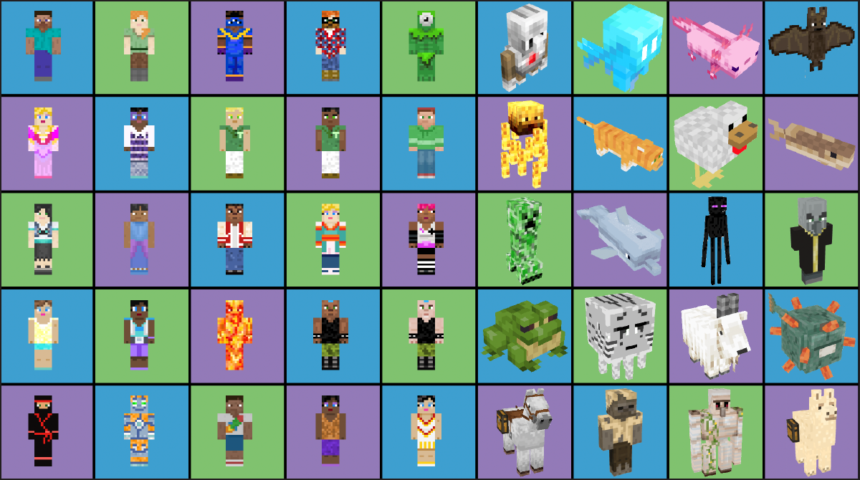

Skindex is the go-to place for anyone who wants to give their Minecraft character a fresh new look. If you’ve ever felt bored staring at the same old Steve or Alex model, you’re not alone. That’s exactly why millions of players head to The Skindex every day.
Here’s the thing: your skin is basically your identity in Minecraft. And The Skindex makes swapping it out ridiculously easy.
In this guide, you’ll learn what The Skindex actually is, how to use it, and how to grab or upload skins without any headaches.
Read more: Wicker Movie: Everything You Need to Know About the 2026 Fantasy Romance Film
What Is The Skindex?
The Skindex (found at minecraftskins.com) is the largest collection of community-made Minecraft skins on the internet. Players from all over the world upload their creations there, and anyone can download them for free.
Think of it like a giant art gallery, but for Minecraft characters. You browse, you pick, you download. Simple.
What’s interesting is that almost every skin you see was made by a regular player, not a company. That’s the whole point of the platform.
A Quick Background on The Skindex
The site has been around for years and grew into a huge hub for the Minecraft community. Over time, it became the first place people think of when they want a custom look for their character.
To be honest, part of its success comes from being so easy to use. You don’t need special software or design skills to enjoy it.
The platform keeps adding new skins daily, so there’s always something fresh to explore.
Is The Skindex Official?
No, and this part matters. The Skindex is not an official Minecraft product. It isn’t endorsed by Mojang or Microsoft either.
It’s an independent, community-driven platform run separately from the actual game. So if you have a question about Minecraft itself, you’d want to reach out to Mojang Support, not The Skindex.
That said, the site works perfectly fine with the game. It just isn’t owned by the people who make Minecraft.
How to Use The Skindex
Using The Skindex is about as beginner-friendly as it gets. You land on the homepage, and you immediately see a wall of trending skins.
From there, you can search, browse categories, or just scroll until something catches your eye. No account needed to look around.
Let’s break down the two things most people come here to do: downloading and uploading.
How to Download a Skin
Downloading is quick. Here’s how it usually goes:
- Find a skin you like by browsing or searching.
- Click on it to open its page.
- Hit the download button to save the skin file to your device.
- Open the Minecraft launcher or your account settings.
- Upload the skin file there, and you’re done.
That’s really it. Within a minute or two, your character looks brand new.
How to Upload Your Own Skin
Feeling creative? You can share your own designs too. The Skindex lets you upload skins so other players can enjoy them.
- Create an account so you can manage your uploads.
- Design your skin using the built-in editor or an external skin tool.
- Upload the finished file and give it a clear name.
- Publish it, and your creation joins the community collection.
Once it’s live, people can view, like, and download it. Some popular skins rack up hundreds of downloads.
Skin Categories You’ll Find
One thing that makes The Skindex fun is the sheer variety. There’s a skin for basically every taste.
You’ll spot popular movie and game characters, cute animals, spooky designs, and clean minimalist looks. Fan favorites like Spider-Man, Pikachu, and Hello Kitty show up all the time.
There are also seasonal and contest skins, plus themed collections that shift with holidays or trends.
Trending and Top Skins
The homepage usually highlights the most popular skins of the moment. This is a great shortcut if you just want something people already love.
Trending skins update often, so checking back regularly keeps things interesting.
Custom and Original Designs
Beyond the popular stuff, The Skindex is packed with original creations. These are skins made from scratch by talented community members.
If you want to stand out on a server, an original skin is the way to go.
Community Features That Make It Fun
The Skindex isn’t just a download site. There’s a real community behind it.
Creators have profiles, and you can follow the ones whose style you enjoy. Skins get likes and comments, which helps good work get noticed.
The site even runs contests and collaborations. These events push people to make cooler, more creative designs.
Contests and Collaborations
Skin contests pop up regularly, sometimes tied to a season or theme. They’re a fun way to challenge yourself and get your work seen.
Collabs, where two or more creators team up, often produce some of the most eye-catching skins on the platform.
Tips for Finding Great Skins on The Skindex
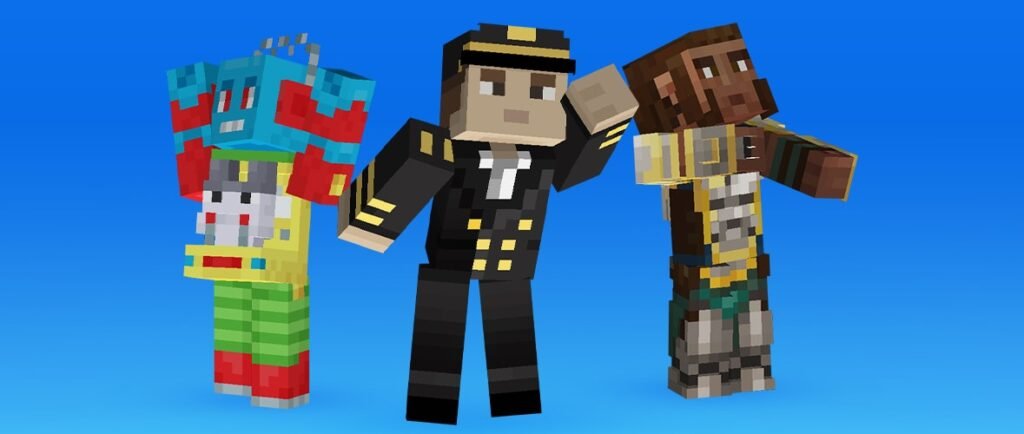
With so many options, it’s easy to get overwhelmed. A few simple habits make the search way smoother.
- Use specific search terms. Typing “ninja” or “astronaut” beats endless scrolling.
- Sort by popularity. Top-rated skins are usually well made for a reason.
- Check the preview. Always look at the 3D preview before downloading.
- Follow favorite creators. This gives you a steady stream of quality skins.
Small tweaks like these save you a ton of time.
Watch the File Details
Before downloading, glance at the skin’s page. Good skins usually have clean previews and solid download counts.
This quick check helps you avoid low-effort or broken files.
Common Mistakes to Avoid
A lot of new users trip over the same small issues. Here’s what to watch for.
First, don’t forget that The Skindex is separate from the game. If a skin won’t load, the problem is usually on the Minecraft side, not the site.
Second, make sure you’re downloading the correct skin format for your version of the game. Mixing these up causes most of the “it’s not working” complaints.
Why Players Keep Coming Back
The Skindex sticks around for a reason. It’s free, it’s huge, and it’s constantly updated by real players.
That mix of variety and community energy is hard to beat. You always feel like there’s more to discover.
For many players, browsing skins is half the fun of the game itself.
Frequently Asked Questions
Is The Skindex free to use?
Yes. Browsing, downloading, and uploading skins on The Skindex is completely free.
Do I need an account?
Not for downloading. But you’ll want one if you plan to upload your own skins or join contests.
Is The Skindex safe?
It’s a well-known community site. Still, only download skin files and avoid clicking anything that looks off, just like on any website.
Does The Skindex work with all Minecraft versions?
Skins generally work across versions, but you should still match the correct format for your setup to avoid issues.
Can I make my own skin there?
Absolutely. The platform offers tools to design and share your own creations with the wider community.
Final Thoughts
The Skindex remains one of the easiest and most fun ways to personalize your character. Whether you’re downloading a fan favorite or uploading your own design, it puts creativity right at your fingertips.
If you’re new to all this, the best next step is simple: pick one skin you love and try it out today. And if you want to understand more about the game these skins are made for, you can read the full background on the official Minecraft page over on Wikipedia.