








Have you ever been in the middle of a fantastic brainstorming session or a fun family catch-up, only to worry that your video call might suddenly cut off? It’s a common fear. With so many video conferencing tools available today, it is hard to keep track of which ones let you talk for hours and which ones kick you out after 40 minutes. If you are using Google’s popular platform, you are probably asking yourself: does google meet have a time limit?
The short answer is yes, but it’s not as simple as a single number. The limits change depending on whether you are chatting one-on-one, hosting a group, or paying for a premium subscription. This guide will walk you through every scenario so you never have to watch the clock anxiously again.
Key Takeaways:
- Free accounts have a 60-minute limit for group calls (3 or more people).
- One-on-one calls on free accounts can last up to 24 hours.
- Paid Workspace plans significantly extend meeting durations up to 24 hours for all calls.
- You can restart a meeting immediately after it ends if you hit the time limit.
The Basics: Does Google Meet Have a Time Limit for Free Users?
When you sign up for Google Meet using just your personal Gmail account (the one ending in @gmail.com), you are using the free version. This is the most common way people access the service. It is incredibly convenient, but Google does place some restrictions on usage to encourage businesses to upgrade. So, does google meet have a time limit for free users? Yes, it absolutely does, but it varies based on who you are talking to.
One-on-One Calls vs. Group Calls
The biggest distinction in the free plan is between calling just one other person and calling a group. If you are calling your best friend to catch up, or having a single client meeting, you are in luck. For one-on-one calls, Google is very generous. You can talk for up to 24 hours. Essentially, this means there is no practical limit because very few people want to stay on a video call for a full day without sleeping!
However, the rules change the moment a third person joins the chat. For group calls involving three or more participants, the limit drops significantly. Free users are capped at 60 minutes per group meeting. At 55 minutes, everyone gets a notification that the call is about to end. Once you hit the hour mark, the call disconnects automatically.
Why Google Imposes Limits on Free Plans
You might wonder why a company as big as Google would bother cutting you off after an hour. It mostly comes down to server costs and business models. Video conferencing requires a massive amount of bandwidth and data processing. Hosting millions of free, unlimited calls would be incredibly expensive.
By limiting group calls to 60 minutes, Google manages its server load and gently pushes businesses, schools, and power users toward their paid Google Workspace plans. It’s a “freemium” model—you get a great service for free, but the best features are reserved for paying customers.
Detailed Breakdown of Time Limits by Account Type
To make things crystal clear, let’s look at how does google meet have a time limit specifically for different types of accounts. Not everyone is a standard free user; some people use accounts provided by their work or school.
|
Account Type |
One-on-One Limit |
Group Call Limit (3+ people) |
Max Participants |
|---|---|---|---|
|
Google Free (Personal) |
24 Hours |
60 Minutes |
100 |
|
Google Workspace Individual |
24 Hours |
24 Hours |
150 |
|
Google Workspace Business Starter |
24 Hours |
24 Hours |
100 |
|
Google Workspace Business Standard |
24 Hours |
24 Hours |
150 |
|
Google Workspace Enterprise |
24 Hours |
24 Hours |
500 – 1000 |
|
Google Workspace for Education |
24 Hours |
24 Hours |
Varies by tier |
Google Workspace Individual
This plan is designed for solo entrepreneurs and small business owners. If you upgrade to this plan, the answer to ” does google meet have a time limit ” changes in your favor. You are no longer restricted to that tight 60-minute window for group calls. Instead, your limit extends to 24 hours for both one-on-one and group meetings. This is perfect if you run workshops or long consultations.
Business and Enterprise Plans
For larger companies, Google offers Business Starter, Standard, Plus, and Enterprise tiers. Regardless of which specific business tier you choose, the time limit for meetings is standardized at 24 hours. The main differences between these tiers usually involve how many people can join (up to 1000 in Enterprise) and advanced features like noise cancellation or recording capabilities, rather than time duration.
What Happens When You Hit the Time Limit?
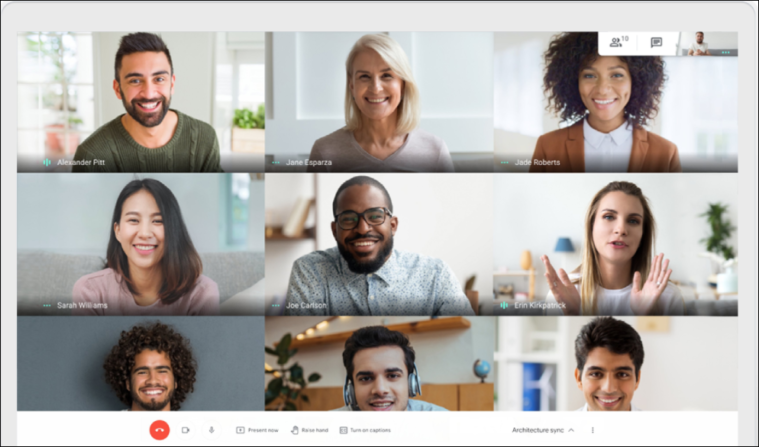
It can be a bit jarring if you aren’t expecting it. If you are on a free account hosting a group call, you won’t just be cut to black without warning. Google tries to be polite about it.
The Warning Notification
When your meeting reaches the 50-minute mark, you will likely start thinking about wrapping up. At 55 minutes, Google Meet sends a visible notification to everyone in the meeting room. It serves as a five-minute warning. This is crucial because it gives you time to say your goodbyes or quickly agree on a plan to restart the call.
The Disconnection
Once the clock hits 60 minutes exactly, the meeting effectively dissolves. The link stops working for that specific session instance. It’s a hard stop. If you are in the middle of a sentence, you will be cut off. This is why knowing does google meet have a time limit beforehand is so vital for professional settings—it prevents awkward endings.
Tips and Tricks to Work Around the Time Limit
So you are on a free plan, you have a group meeting, and you know it needs to last longer than an hour. Do you have to pay? Not necessarily. There are a few workarounds that savvy users employ to keep the conversation going without upgrading.
The “Restart” Method
The simplest workaround is completely free. Since there is no limit on the number of meetings you can host per day, you can simply start a new one. When you see the 55-minute warning:
- Pause the conversation.
- Create a new meeting link (or agree to rejoin the same link if the host restarts it immediately).
- Send the new link to everyone via chat or email.
- Jump back in and you have another fresh 60 minutes.
Switching Host Accounts
If you are working on a project with a friend who has a paid Google Workspace account, ask them to create the meeting link. The limits are applied based on the host’s account type. If the host has a 24-hour limit, the meeting has a 24-hour limit, even if you (a participant) are on a free account.
Comparison: Google Meet vs. Other Platforms
Understanding does google meet have a time limit is more useful when you compare it to the competition. How does Google stack up against Zoom or Microsoft Teams?
Google Meet vs. Zoom
Zoom is perhaps the most famous competitor. For free users, Zoom has a notorious 40-minute limit on group meetings. Google Meet’s 60-minute allowance gives you 50% more time, which is often the difference between a rushed meeting and a productive one. Both platforms offer effectively unlimited time for one-on-one calls.
Google Meet vs. Microsoft Teams
Microsoft Teams also offers a free version. Like Google Meet, the free version of Teams generally allows for 60 minutes on group calls. However, Microsoft occasionally runs promotions or changes these limits temporarily. Generally speaking, Google Meet and Teams are neck-and-neck regarding free time allowances, but many users find Google Meet easier to access since it runs directly in a browser without needing an app installation.
How to Check Your Current Plan
Sometimes users aren’t sure which version of Google they are using. You might be using a G-Suite account from an old job or a school account and not realize the perks you have.
Identifying Your Account Type
Open your Google Account settings. If you see a generic “Google Account” logo, you are likely on a free personal plan. If you see “Google Workspace” branding or your organization’s logo, you are on a paid or educational tier. Knowing this immediately answers does google meet have a time limit for your specific situation.
Checking Through the Calendar
Another way to check is to try scheduling a meeting in Google Calendar. If you invite more than 3 people and the scheduled duration is over an hour, Google might flag it if you are on a free account. However, usually, the limit is enforced during the actual call, not the scheduling phase, so checking your account type is safer.
For Educators: Google Meet in Schools
Education is a huge sector for Google. Teachers need to know if their classes will cut off mid-lesson. Fortunately, Google Workspace for Education fundamentals (the free version for schools) and the paid tiers generally offer the 24-hour limit for active classes.
Specific Educational Limits
While time isn’t usually an issue for schools, participant limits can be.
- Education Fundamentals: Up to 100 participants.
- Education Plus: Up to 500 participants.
- Teaching and Learning Upgrade: Up to 250 participants.
If you are a student or teacher, you rarely need to worry about does google meet have a time limit. The focus is more on managing the classroom than watching the clock.
Upgrading: Is it Worth it for the Time Limit?
If you find yourself constantly using the “restart” workaround, it might be time to pay. But is removing the time limit the only benefit?
Benefits Beyond Time Limits
When you upgrade to a paid Google Workspace plan, you aren’t just buying time. You often get:
- Meeting Recordings: Save the video to Google Drive to share later.
- Noise Cancellation: Filter out dogs barking or keyboards clacking.
- Breakout Rooms: Split a large group into smaller discussion groups.
- Dial-in Numbers: Allow people to join via phone line if they have no internet.
If you run a business, these features add professional polish that justifies the cost, solving the does google meet have a time limit issue as a bonus.
Common Misconceptions About Google Meet Limits
There is a lot of outdated information on the internet. Let’s bust a few myths regarding does google meet have a time limit.
Myth: “Google Meet is Always Unlimited During the Pandemic”
During the height of the COVID-19 pandemic (through mid-2021), Google famously lifted the 60-minute limit for free Gmail users as a gesture of goodwill. Many people still think this is the case. Unfortunately, that promotion ended. We are back to the standard 60-minute rule for groups.
Myth: “Only the Host Needs a Paid Account”
This is actually True, not a myth! As mentioned earlier, only the person organizing the meeting (the host) needs the paid subscription to unlock the 24-hour duration. Participants can join from free accounts without triggering the timer.
Troubleshooting Time Limit Issues
Sometimes, things go wrong. You might be on a paid account but still get a warning notification. Why does this happen?
Logged into the Wrong Account
This is the most common error. You might have a paid work email and a free personal email. If you open the meeting link while logged into your personal Chrome profile, Google thinks you are a free user. Always ensure you are initiating the call from your Workspace account.
Expired Subscriptions
If your credit card failed or your organization downgraded its plan, you might have inadvertently reverted to the free tier. If you suddenly see a time limit warning, check your billing status immediately.
Strategic Meeting Planning
Since we know the answer to does google meet have a time limit is 60 minutes for free groups, how can we plan better?
The 45-Minute Meeting Rule
Parkinson’s Law states that “work expands to fill the time available for its completion.” By strictly adhering to a 45-minute meeting schedule, you not only avoid the Google Meet limit but usually have more productive, focused discussions. Use the limit as a tool to keep everyone on track.
Agendas are Key
Send an agenda beforehand. If everyone knows exactly what needs to be discussed, you are less likely to waste the first 15 minutes on chit-chat, ensuring you finish well before the 60-minute cutoff.
The Future of Google Meet Limits
Will Google change these rules again? It is possible. In the tech world, features are always shifting.
Potential Changes
As competition heats up, Google might adjust limits to undercut competitors or add value to their AI packages. For now, the 60-minute cap seems stable as it balances server costs with user utility. Keeping an eye on tech news sites like Silicon Valley Time can help you stay updated on these software changes.
AI Integration
With the rise of Gemini (Google’s AI), future paid plans might focus more on AI note-taking and translation rather than just time limits. The time limit might become a secondary concern compared to feature access.
FAQ: Does Google Meet Have a Time Limit?
Here are answers to the most frequently asked questions to recap what we have learned.
1. Does Google Meet cut off exactly at 60 minutes?
Yes. For free accounts with 3 or more participants, the meeting will end abruptly at the 60-minute mark.
2. Can I rejoin the same link after the time limit ends?
Yes, usually the same link will work if you click it again, effectively starting a new 60-minute session.
3. Is the time limit different for mobile vs. desktop?
No. The time limit applies to your account type, regardless of whether you are using a phone, tablet, or laptop.
4. Do I get unlimited calls with Google One?
Some Google One premium plans (2TB and above) include premium Google Workspace features, which can extend your group call limits to 24 hours. Check your specific Google One benefits to be sure.
5. Does Google Meet have a time limit for 2 people?
No. If it is just you and one other person, you have a 24-hour limit, even on the free plan.
Conclusion
Navigating the world of video conferencing doesn’t have to be confusing. So, does google meet have a time limit? Yes, for free group calls, you have 60 minutes. For one-on-one calls or paid accounts, you have virtually unlimited time (24 hours).
Understanding these boundaries allows you to plan your meetings effectively. Whether you choose to upgrade for the convenience of long meetings or stick to the free plan and master the art of the 55-minute wrap-up, Google Meet remains one of the most accessible and high-quality tools available.
Remember to check your account type, watch the clock if you are on the free tier, and happy chatting!
For more information on the history and development of this software, you can visit the Google Meet page on Wikipedia.



