








Key Takeaways
- Comprehensive Platform: Purple Mash is an award-winning cross-curricular website for elementary and primary school children.
- Creative Tools: It offers open-ended tools for coding, writing, painting, and animating.
- Teacher Support: Teachers get access to lesson plans, schemes of work, and assessment tools.
- Home Access: The platform seamlessly bridges the gap between school and home learning.
- Safe Environment: It provides a secure, “walled garden” internet environment for young learners.
Technology has changed the way our children learn, making education more interactive and engaging than ever before. If you are a parent or a teacher, you have probably heard the name purple mash pop up in conversations about digital learning. It isn’t just a funny name; it is a powerhouse of educational resources designed to spark creativity and make learning fun. Whether your child is writing their first line of code or painting a digital masterpiece, this platform offers a safe space to explore.
This guide will walk you through exactly what this platform is, why schools love it, and how it helps children thrive. We will dive deep into its features, from coding to literacy, and explore how it supports teachers in the classroom. By the end of this article, you will understand why thousands of schools trust purple mash to deliver their computing curriculum and much more.
What is Purple Mash? An Introduction for Beginners
At its core, purple mash is a cloud-based educational website designed for children aged 3 to 11. Created by 2Simple, it is packed with creative tools, educational games, and curriculum-aligned resources. Unlike static websites where children just read or watch, this platform is all about doing. It encourages students to create, experiment, and share their work in a controlled environment.
One of the biggest selling points is that it is entirely web-based. This means you don’t need to install heavy software on your computer. Whether you are using a laptop, a tablet, or a desktop PC, you can log in and access your work from anywhere. This flexibility has made it a favorite for schools that want to assign homework that is actually fun to do. It transforms the concept of screen time from passive consumption into active creation.
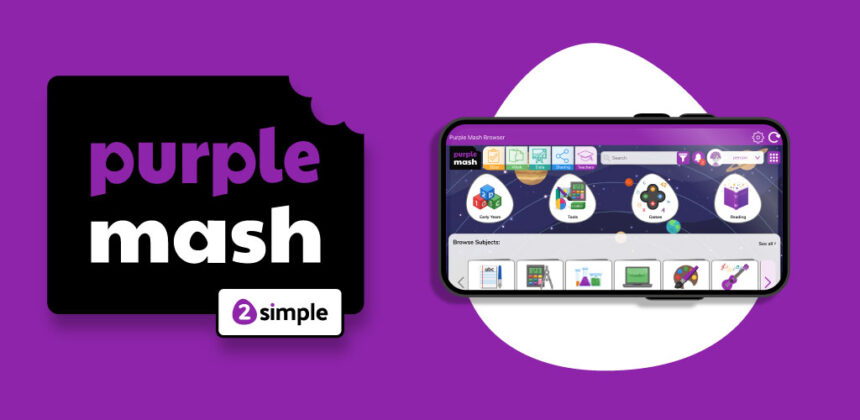
The interface is colorful, intuitive, and designed specifically for younger users. Icons are large, navigation is simple, and help is always just a click away. This user-friendly design ensures that even the youngest students can navigate the site independently, boosting their confidence and digital literacy skills. It really is a “mash-up” of every subject you can think of, all in one purple place.
Why Schools Choose Purple Mash for the Curriculum
Schools are always on the lookout for tools that offer value for money and reduce teacher workload, and purple mash delivers on both fronts. It isn’t just a collection of games; it is a comprehensive system that covers the entire primary curriculum. While it is famous for its computing and coding resources, it also covers math, English, science, history, geography, and art.
For school administrators, the “Mini Mash” section is a huge draw. This area is specifically designed for the Early Years Foundation Stage (EYFS), providing a virtual classroom for the youngest learners. As students progress, the main platform grows with them, offering more complex tools and challenges. This continuity allows schools to use one platform for all age groups, simplifying training for staff and logins for students.
Furthermore, the platform aligns with national curriculum standards. When a teacher sets a task on purple mash, they know it meets specific learning objectives. The platform includes pre-made schemes of work, particularly for computing, which can be a difficult subject for non-specialist teachers to deliver. With these resources, any teacher can deliver a high-quality coding lesson with confidence.
The Importance of a “Walled Garden” Online
Safety is the number one priority when introducing children to the internet. Purple mash operates as a “walled garden.” This means it simulates the experience of the wider internet—email, blogging, social sharing—but within a strictly monitored and closed environment. Children can learn how to send emails using “2Email” or write blog posts, but they can only interact with their teachers and classmates.
This safe environment is crucial for teaching digital citizenship. Children learn the rules of online behavior, such as not sharing passwords and being kind in comments, without the risks associated with open social media platforms. Teachers can moderate all content, ensuring that no inappropriate material ever appears. It is the perfect training ground for the digital world.
Exploring the Creative Tools Within Purple Mash
The “creative tools” are the heart and soul of the platform. These are open-ended applications that allow children to create anything they can imagine. Unlike a quiz that has a right or wrong answer, these tools empower students to express themselves. Let’s look at some of the most popular tools available.
2Publish and 2Create a Story are fantastic for literacy. Students can write newsletters, create eBooks with animated illustrations, or design posters. These tools make writing exciting for reluctant writers because the final product looks professional and engaging. They can add sounds, record their own voice, and even create branching stories where the reader chooses the ending.
2Paint a Picture offers a suite of digital art tools. Students can explore different styles, from impressionism to pointillism, using digital brushes that mimic real-world techniques. It is a mess-free way to teach art concepts and allows for endless experimentation. If a student makes a mistake, they can just hit “undo”—something you can’t do with real paint!
Table: Popular Creative Tools Overview
|
Tool Name |
Primary Function |
Best Used For |
|---|---|---|
|
2Code |
Coding & Programming |
Learning logic, algorithms, and debugging. |
|
2Publish |
Desktop Publishing |
Creating newspapers, leaflets, and reports. |
|
2Animate |
Animation |
Making stop-motion animations and cartoons. |
|
2Email |
Communication |
Teaching email safety and etiquette. |
|
2Design and Make |
3D Modeling |
Designing 3D shapes to print or view on screen. |
Mastering Coding with 2Code
Coding can be intimidating, but purple mash makes it accessible through 2Code. This is perhaps the most heavily used feature on the platform. It takes students from the very basics of arranging blocks of code to writing complex scripts. The visual interface uses a “drag-and-drop” system similar to Scratch, which removes the frustration of syntax errors for beginners.
2Code is structured in levels: Chimp, Gibbon, and Gorilla. This tiered approach ensures that students are constantly challenged but never overwhelmed. In the “Chimp” level, students might just make a character move across the screen. By the time they reach “Gorilla,” they are creating complex games with variables, physics, and user input.
What makes 2Code special is the “debug” mode. It intentionally introduces broken code and asks students to fix it. This teaches critical thinking and problem-solving skills, which are essential for any future programmer. Teachers also have access to solutions and lesson guides, so they don’t need to be coding experts to help their students succeed.
Enhancing Literacy and Writing Skills
While technology is often blamed for poor writing skills, this platform actively encourages literacy. The writing templates in purple mash are vast and varied. Teachers can assign tasks that range from writing a diary entry as a historical figure to creating a science report on plant growth. The platform provides “word banks” and sentence starters to support students who might struggle with blank page syndrome.
One standout feature is the collaborative writing tool. Students can work together on the same document in real-time, much like Google Docs but simplified for children. This fosters teamwork and allows for peer review. Teachers can leave voice comments on student work, which is often more personal and effective than written feedback.
Additionally, the platform hosts “Serial Mash,” a digital library of books. These aren’t just PDFs; they are interactive reading experiences with comprehension quizzes and writing activities attached to each chapter. It turns reading into an active lesson rather than a passive activity, helping to boost reading ages across the board.
Serial Mash: A Digital Library
Serial Mash is updated regularly with new books for different reading levels. It includes:
- Diamonds: For ages 5-7.
- Emeralds: For ages 7-9.
- Sapphires: For ages 9-11.
- Firebolts: For reluctant readers.
Gamification and Learning Games
Let’s be honest: kids love games. Purple mash leans into this by gamifying the learning process. The “Games” section is filled with educational activities that feel like play. Whether it is practicing multiplication tables in a racing game or identifying grammar in a fast-paced challenge, the “fun factor” keeps engagement high.
Math games are particularly strong here. Tools like 2Race allow students to compete against their classmates or the computer in mental math challenges. This competitive element can be a huge motivator. Teachers can customize these games to focus on specific topics, such as fractions or division, ensuring the gameplay reinforces what was taught in the lesson.
However, it isn’t just about arcade-style games. There are also slower-paced logic puzzles and strategy games that require deep thinking. These activities help develop patience and cognitive skills. Because the platform tracks progress, teachers can see exactly which games a student has played and how well they performed, providing valuable data on student attainment.
Assessment and Progress Tracking for Teachers

For educators, the backend of purple mash is just as important as the student-facing side. The platform includes a powerful “Data Dashboard.” Every time a student completes a quiz, saves a piece of work, or finishes a coding challenge, that data is recorded. Teachers can view this data to identify gaps in learning instantly.
The assessment tools are aligned with curriculum standards. For example, if a class completes a unit on coding, the teacher can use the built-in assessment framework to mark their progress against national expectations. This saves hours of paperwork and provides clear evidence of student progress for report cards and parent meetings.
Teachers can also set “2Dos.” These are tasks assigned to specific students or groups with a due date. When a student logs in, they see their “2Dos” immediately. This system makes managing homework incredibly efficient. Teachers can see who has opened the task, who has completed it, and who might need a nudge, all from one dashboard.
Supporting Home Learning and Parental Engagement
The bridge between school and home is vital for student success. Purple mash excels at this by allowing students to access the same tools at home that they use in school. This continuity is perfect for homework, flipping the classroom, or remote learning periods. Parents can see exactly what their children are learning and get involved.
The “Parent Portal” is a feature that schools can enable. It allows parents to see their child’s timeline of work, view teacher comments, and even celebrate their achievements. It demystifies what happens in the classroom and empowers parents to support their child’s education effectively.
Furthermore, because the platform is safe, parents don’t need to hover over their child’s shoulder constantly. They can trust that their child is in a secure educational environment. This peace of mind is invaluable for busy parents who want to encourage digital learning without the risks of the open web. For more insights on digital trends and technology news that impact education, you can visit Silicon Valley Time.
How to Get Started with Purple Mash
Getting started is straightforward, especially if your school has already subscribed. Usually, the school administrator will set up accounts for all staff and students. Each user gets a unique username and password (or a picture login for very young children).
- Login: Go to the website and find your school’s portal or use the general login page.
- Explore the Home Screen: You will see icons for different subjects like English, Math, and Computing, as well as the creative tools.
- Check 2Dos: If you are a student, look at the red “2Do” tab to see what work your teacher has set.
- Save Your Work: Everything you create is saved in your “Online Work” folder. You never have to worry about losing a file.
For teachers, the first step is usually exploring the “Teachers” area. Here you will find planning documents, webinars, and help guides. It is highly recommended to try out the tools yourself before introducing them to the class. Spend ten minutes playing with 2Code or 2Publish so you can answer student questions confidently.
Tips for First-Time Users
- Don’t try to do everything at once. Start with one tool, like 2Code or 2Paint.
- Use the search bar. It is the fastest way to find resources on specific topics like “Vikings” or “Fractions.”
- Watch the videos. Most tools have a built-in video guide that explains how they work in under two minutes.
Pricing and Subscription Models
Purple mash is primarily a subscription service for schools. The cost usually depends on the size of the school (number of pupils). While there is a cost involved, most schools find that it replaces several other subscriptions because it covers so many subjects. Instead of paying for a separate coding platform, a separate spelling app, and a separate art tool, you get them all in one.
There are also options for home users. Parents can purchase a home subscription if their child’s school does not use the platform. This grants access to the vast majority of tools and games, allowing for independent learning at home. It is a great option for homeschooling families or parents who want to supplement their child’s education.
It is worth noting that 2Simple, the creators, often offer free trials. This is a great way for schools to test the waters before committing to a full annual budget. During the trial, you usually get full access to all features, so you can really put the platform through its paces.
Common Challenges and How to Overcome Them
No technology is perfect, and users may occasionally face challenges. One common issue is internet connectivity. Because purple mash is cloud-based, you need a stable internet connection. If the Wi-Fi drops, work might not save immediately. However, the platform is designed to be lightweight, so it works well even on slower connections.
Another challenge can be the sheer volume of content. New teachers might feel overwhelmed by the thousands of resources available. The solution is to use the “Schemes of Work.” These provide a week-by-week plan, so you don’t have to hunt for resources. Just follow the plan, and you will gradually discover more of the platform at a manageable pace.
Device compatibility is rarely an issue, but some older tablets might struggle with the more complex 3D tools. Generally, any device purchased in the last 5-7 years will run the platform smoothly. Ensuring browsers are up to date is the best technical fix for most glitches.
Troubleshooting Quick List
- Clear Cache: If a tool won’t load, clearing your browser cache often fixes it.
- Update Browser: Ensure you are using the latest version of Chrome, Safari, or Edge.
- Check Pop-ups: Some features might require pop-ups to be enabled for the site.
Comparison: Purple Mash vs. Competitors
There are other educational platforms out there, such as Seesaw, Google Classroom, and specialized coding sites like Scratch. How does purple mash compare?
Vs. Google Classroom: Google Classroom is essentially a workflow management tool; it doesn’t contain content. You have to put the content in. Purple mash is the content. It provides the tools and the lessons ready to go. They actually work well together; you can link content from here into Google Classroom.
Vs. Scratch: Scratch is amazing for coding, but that is all it does. Purple mash includes a coding tool that is very similar to Scratch but wraps it in a full curriculum with lesson plans, plus it offers tools for every other subject. For a pure coding club, Scratch is great. For a whole-school curriculum, the Mash approach is more comprehensive.
Vs. Seesaw: Seesaw is a digital portfolio tool. While it has some creative tools, they aren’t as deep or varied as those found here. Seesaw is better for capturing photos of physical work, while purple mash is better for creating digital work from scratch.
Success Stories: Impact on Student Learning
Teachers across the globe report significant improvements in student engagement when using this platform. One recurring theme is the engagement of “reluctant learners.” Children who might switch off during a traditional worksheet lesson often light up when asked to code a game or animate a story.
Case studies have shown that the platform helps close the attainment gap. Because the tools allow for differentiation—where different students can work at different levels on the same task—every child can achieve success. A child with special educational needs might use the painting tool to express understanding of a history topic, while another writes an essay. Both are valid, and both are supported.
Furthermore, the impact on computing skills is undeniable. Schools using the purple mash computing scheme consistently report high levels of digital literacy. Students leave primary school not just knowing how to use a computer, but understanding how it works, how to stay safe on it, and how to use it to create.
Future Developments and Updates
The team at 2Simple is constantly updating purple mash. They listen to teacher feedback and regularly add new features. Recent years have seen major updates to the coding tools, the addition of Python for older students, and enhanced spelling and grammar resources.
We can expect to see more integration with other platforms in the future, as well as more tools designed for mobile devices. The focus remains on creativity and curriculum alignment. As educational standards change, the platform evolves to meet them, ensuring it remains a relevant and vital tool for schools.
Staying updated is easy. The website features a “notification” bell that alerts users to new tools and competitions. Yes, competitions! They run regular seasonal competitions (like designing a holiday card or coding a game) which are fantastic for motivating students on a national level.
FAQ: Frequently Asked Questions
Q: Is Purple Mash free?
A: No, it is a paid subscription service for schools and families. However, they often offer free trials for schools to evaluate the platform.
Q: Can I use Purple Mash on an iPad?
A: Yes! The platform is HTML5 based, meaning it works directly in the browser on iPads, Android tablets, Chromebooks, and regular computers.
Q: What age group is it for?
A: It is designed for children aged 3 to 11 (Early Years to end of Primary/Elementary).
Q: Is it safe for children?
A: Absolutely. It is a “walled garden,” meaning children cannot access the open internet through it, and they can only interact with approved users within their school.
Q: How do I save my work?
A: Work is saved automatically in the cloud. You can find it in your “Online Work” folder or the specific folder for your class.
Q: Can parents see their child’s work?
A: Yes, if the school enables the Parent Portal, parents can view their child’s creations and teacher feedback.
Conclusion
Purple mash creates a unique space where education meets imagination. It creates a seamless link between creativity and the curriculum, ensuring that children learn essential skills while having fun. From the robust coding lessons in 2Code to the artistic freedom of 2Paint, the platform offers something for every type of learner.
For teachers, it provides a structured, resource-rich environment that reduces workload and enhances lesson delivery. For parents, it offers a safe, educational playground that supports what is happening in the classroom. As digital literacy becomes increasingly important, tools like this are not just “nice to have”—they are essential for preparing the next generation for the future.
Whether you are looking to boost your school’s computing curriculum or just want a better quality of screen time at home, purple mash is a vibrant, comprehensive solution that delivers results. By blending the rigor of the national curriculum with the joy of creative play, it ensures that learning is never a chore, but always an adventure.
For more information on educational technology concepts, you can visit this Wikipedia link.



