





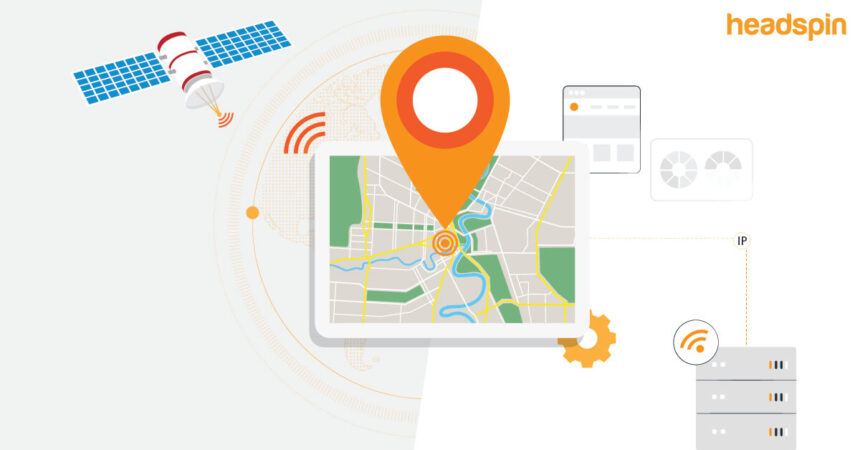

Have you ever wondered how websites know you’re visiting from a specific city or how streaming services offer different shows based on your country? The magic behind this is a process used to geolocate an IP address information. An IP address, or Internet Protocol address, is a unique number assigned to every device connected to the internet. By identifying the location associated with this number, services can tailor content, improve security, and understand their audience better. This process isn’t about pinpointing someone’s exact home address with satellite precision, but rather about estimating their general geographic area, like a country, state, or city.
This guide will walk you through everything you need to know about IP geolocation. We’ll explore what it is, how it works, its accuracy, and its many uses, from marketing to cybersecurity. We will also discuss the legal and ethical considerations involved. By the end, you’ll have a clear understanding of this powerful technology and how it shapes our online experiences every day.
Key Takeaways
- IP geolocation is the process of estimating the real-world geographic location of a device connected to the internet.
- The process uses databases that map IP addresses to locations, relying on information from Internet Service Providers (ISPs), regional registries, and other data sources.
- Accuracy varies significantly; it is highly reliable for country-level identification but less precise for city or postal code-level data. It cannot identify a specific street address.
- Geolocation has many practical applications, including content personalization, digital rights management, fraud prevention, and targeted advertising.
- While powerful, using IP geolocation technology comes with important privacy, legal, and ethical responsibilities.
What Exactly Is an IP Address?
Before we dive into how to geolocate IP address data, let’s first understand what an IP address is. Think of it as a postal address for your device on the internet. Every time you connect to the internet, whether from your laptop, smartphone, or smart TV, your Internet Service Provider (ISP) assigns your device a unique numerical label. This label, the IP address, allows data to be sent to and from your device correctly. Without it, your computer wouldn’t know where to send a search query, and Google wouldn’t know where to send the results back.
There are two main types of IP addresses currently in use:
- IPv4 (Internet Protocol version 4): This is the older, more common format. It consists of four sets of numbers separated by periods, like
192.168.1.1. Each set can range from 0 to 255. This system allows for about 4.3 billion unique addresses. - IPv6 (Internet Protocol version 6): With the explosion of internet-connected devices, we started running out of IPv4 addresses. IPv6 was created to solve this problem. It uses a much longer format of eight groups of four hexadecimal digits, like
2001:0db8:85a3:0000:0000:8a2e:0370:7334. This system provides a virtually limitless number of addresses.
Understanding the role of an IP address is the first step toward appreciating how it can be used to determine a device’s location.
How Does IP Geolocation Work?
The process to geolocate IP address information is a fascinating mix of data collection and database matching. It’s not a single, foolproof method but a combination of techniques that work together to produce a location estimate. When a company or service wants to find the location of a visitor, they take the visitor’s IP address and check it against massive, specialized databases. These databases are the core of IP geolocation services.
So, where does the data in these databases come from? It’s gathered from several sources:
- Regional Internet Registries (RIRs): Organizations like ARIN (American Registry for Internet Numbers) and RIPE (Réseaux IP Européens) are responsible for allocating large blocks of IP addresses to ISPs and large corporations. This public information provides a starting point, usually identifying the country and the ISP that owns the address block.
- Internet Service Providers (ISPs): ISPs assign smaller blocks of their allocated IP addresses to their customers in specific geographic regions. A geolocation provider might gather data on which IP blocks are assigned to which service areas, narrowing the location down to a state or city.
- Data Submitted by Users: Sometimes, users voluntarily provide location data, such as when filling out a shipping form or setting a location in a weather app. This data can be anonymously aggregated to help refine the accuracy of IP-to-location mappings.
- Wi-Fi and Network Data: Advanced methods involve analyzing network latency and traceroute information. By measuring the time it takes for data to travel between servers, experts can make an educated guess about the distance and, therefore, the location.
These sources are combined and cross-referenced by geolocation service providers to build and maintain their comprehensive databases.
The Technology Behind Geolocation Services
Behind every attempt to geolocate IP address data is a sophisticated technological infrastructure. Geolocation providers, such as MaxMind or IP2Location, are companies that specialize in building and maintaining these complex IP intelligence databases. They employ teams of analysts and use automated systems to constantly update their data. This is crucial because the internet is dynamic; IP address assignments can change, and ISPs can reallocate jejich blocks.
These providers offer their data to businesses through an Application Programming Interface (API). When you visit a website that uses geolocation, the site’s server takes your IP address and sends a request to the geolocation provider’s API. The API instantly queries its database and returns a set of data associated with that IP, which can include:
- Country
- State/Region
- City
- Postal Code
- Latitude and Longitude
- ISP
- Time Zone
The website then uses this information to customize your experience. For example, it might show you prices in your local currency or display a banner for a sale at a nearby physical store. This entire process happens in a fraction of a second, completely invisible to you as the user.
How Accurate Is IP Geolocation?
One of the most common questions about the process to geolocate IP address information is, “How accurate is it?” The answer is: it depends. The accuracy of IP geolocation varies greatly depending on the level of detail you are seeking.
|
Location Level |
Typical Accuracy Rate |
|---|---|
|
Country |
95% – 99% |
|
State/Region |
70% – 90% |
|
City |
50% – 80% |
|
Postal Code |
Less than 50% |
As the table shows, IP geolocation is extremely reliable for identifying the country of origin. This is because the large IP blocks assigned by RIRs are directly tied to countries. However, as you try to get more specific, the accuracy drops. Identifying the correct state or region is still fairly accurate, but city-level accuracy can be a bit of a coin toss. Often, the location returned for an IP address is the central point of a large metropolitan area or the location of the ISP’s main server, not the user’s actual physical location.
It’s a critical misconception that you can use IP geolocation to find someone’s street address. This is not possible. The technology is designed to identify a general area, not a specific house or apartment. The “pin on the map” you might see in some applications is often just the center of the city or zip code associated with the IP.
Factors That Affect Geolocation Accuracy
Several factors can influence the precision of an attempt to geolocate IP address data. One of the biggest is the use of Virtual Private Networks (VPNs) or proxy servers. When a user connects to a VPN, their internet traffic is routed through a server in a different location. Their real IP address is masked, and websites only see the IP address of the VPN server. If the VPN server is in another country, the geolocation data will show that country, completely obscuring the user’s true location.
Other factors include:
- Mobile Networks: IP addresses assigned to mobile devices are notoriously difficult to geolocate accurately. A mobile carrier might use a central gateway for a large region, so a user in one city might appear to be in another, miles away.
- ISPs’ Practices: How an ISP assigns its IP addresses plays a huge role. Some assign IPs from a centralized pool, while others are more granular and assign them based on smaller service areas.
- Database Freshness: Geolocation databases must be updated constantly. An outdated database might still associate an IP address with its previous location, leading to errors.
Common Uses of IP Geolocation
The ability to geolocate IP address information has become a cornerstone of the modern internet, enabling a wide range of applications across various industries. Businesses and developers leverage this data to create smarter, safer, and more personalized online experiences.
Content Personalization and Localization
This is one of the most visible uses of IP geolocation. By knowing a user’s general location, websites can deliver content that is more relevant and engaging.
- Language and Currency: An e-commerce site can automatically display its pages in the local language and show prices in the local currency. This simple change dramatically improves the user experience and can lead to higher conversion rates.
- Local News and Weather: News websites and weather portals use your location to show you top stories and forecasts for your area without you having to enter a zip code.
- Relevant Content: A streaming service like Netflix or Hulu uses geolocation to show you a library of movies and TV shows that are licensed for viewing in your country.
Digital Rights Management (DRM)
Many digital products, especially media, are subject to licensing agreements that restrict their distribution to certain geographic regions. This is often referred to as “geoblocking” or “geo-fencing.” For example, a sports league might have broadcasting deals that only allow its games to be streamed online in specific countries. They use the ability to geolocate IP address data to enforce these restrictions, blocking access for users outside the permitted regions. This is essential for media companies to comply with their legal agreements and protect their content.
Targeted Advertising and Marketing
Marketers use IP geolocation to make their advertising campaigns more effective. By understanding where their audience is located, they can run ads that are highly relevant to them. For instance, a national restaurant chain can run a digital ad campaign that shows users a coupon for the specific restaurant location closest to them. This level of targeting increases the likelihood that a user will click on the ad and make a purchase. It also helps businesses allocate their advertising budgets more efficiently, focusing on regions where they have a physical presence or a strong customer base.
Fraud Prevention and Cybersecurity
In the world of cybersecurity, IP geolocation is a critical tool for identifying and mitigating threats. Security systems can use it to flag suspicious activities. For example, if a user’s account logs in from their usual city and then, just minutes later, another login attempt is made from a different continent, this is a major red flag for a compromised account.
- Financial Transactions: Banks and credit card companies use IP geolocation to help detect fraudulent transactions. An online purchase made with a US-based credit card from an IP address in a country known for high fraud rates might be automatically blocked or flagged for manual review.
- Blocking Malicious Traffic: Companies can create rules to block all web traffic originating from countries where they do not do business or that are known sources of cyberattacks. This is a common strategy for reducing the risk of DDoS attacks, spam, and hacking attempts.
Legal and Ethical Considerations
While the ability to geolocate IP address data is incredibly useful, it also raises important questions about privacy and ethics. Users are increasingly concerned about how their data is being collected and used. Consequently, governments and regulatory bodies have established laws to protect consumer privacy. The most well-known of these is the General Data Protection Regulation (GDPR) in the European Union.
Under GDPR, an IP address can be considered personal data. This means that companies collecting and processing IP addresses of EU citizens must have a legitimate legal basis for doing so, such as the user’s explicit consent or a legitimate interest that doesn’t override the user’s rights. They must also be transparent with users about how they are using this data.
Even outside the EU, it is considered a best practice to be transparent about data collection. Most reputable websites include a privacy policy that explains what data they collect, including IP addresses, and for what purposes. Building trust with users is paramount, and this starts with clear and honest communication. For more insights on technology trends and digital ethics, you can explore resources like those found at https://siliconvalleytime.co.uk/, which often cover the intersection of innovation and society.
How to Geolocate an IP Address Yourself
Curious to see IP geolocation in action? There are many free online tools that allow you to geolocate IP address information. You can use these tools to check your own IP address or any other public IP address. Simply visit one of these websites, and it will often automatically detect your IP and display its estimated location. You can also manually enter an IP address to look it up.
These tools will typically provide information such as:
- The IP address itself
- The hostname
- The Internet Service Provider (ISP)
- The country, region, and city
- The latitude and longitude coordinates
Keep in mind the accuracy limitations we discussed earlier. The location shown will be an estimate, and for privacy reasons, it will not be your exact street address. These tools are great for educational purposes or for a quick check, but businesses requiring high-volume or high-accuracy geolocation will typically subscribe to a professional API service.
The Future of IP Geolocation
The technology to gelocate IP address information is constantly evolving. As the internet grows and changes, so do the methods for understanding it. The widespread adoption of IPv6 will present new challenges and opportunities for geolocation providers. With its massive address space, mapping IPv6 addresses to locations will require even more sophisticated data collection and analysis techniques.
Furthermore, the increasing use of VPNs and privacy-enhancing technologies shows a growing public desire for anonymity. This trend puts pressure on businesses that rely on geolocation for marketing and content personalization. In the future, we may see a greater emphasis on consent-based and first-party data, where users voluntarily share their location in exchange for a better user experience. The tension between personalization and privacy will continue to shape the development and application of IP geolocation technology for years to come.
Conclusion
The ability to geolocate IP address information is a fundamental technology that quietly powers much of our online world. From showing you the weather in your city to protecting your bank account from fraud, its applications are diverse and impactful. It works by matching an IP address to a location using vast databases compiled from various sources, offering high accuracy at the country level and decreasing precision at more granular levels like city or postal code.
We’ve seen how businesses use it for everything from localized marketing to enforcing digital rights. We’ve also touched on the critical importance of using this technology responsibly, respecting user privacy, and adhering to legal frameworks like GDPR. As the internet continues to evolve, so will the methods and ethics surrounding IP geolocation. Understanding how it works is no longer just for tech experts; it’s essential for any informed digital citizen.
Frequently Asked Questions (FAQ)
Q1: Can someone find my exact house address from my IP address?
No, it is not possible to find a specific street address using only an IP address. IP geolocation can only provide an approximate location, such as the city, state, or postal code. The pinpoint on a map is usually the center of that region, not a person’s home.
Q2: Is it legal to geolocate an IP address?
Yes, it is legal to geolocate IP address information. IP addresses are generally considered public information. However, regulations like GDPR in Europe classify IP addresses as personal data, which means companies must be transparent about how they collect and use this data and have a legal basis for doing so.
Q3: How can I hide my IP address and location?
The most common way to hide your IP address is by using a Virtual Private Network (VPN). A VPN encrypts your internet traffic and routes it through a server in a location of your choice. This makes it appear as though you are browsing from the VPN server’s location, effectively masking your true IP address and geographic location.
Q4: Why does my IP address show the wrong city?
There are several reasons this might happen. Your ISP might be routing your traffic through a server located in a nearby city, or you might be on a mobile network that uses a centralized gateway for a large area. Additionally, the geolocation database being used might be slightly outdated.
Q5: Do all devices have a unique IP address?
Every device connected to the internet has an IP address, but it might not be unique to that single device. Many home and office networks use a router that has a single public IP address. All the devices connected to that router (laptops, phones, etc.) share that same public IP address when they access the internet. They each have a private, local IP address that is only used within the internal network.



