






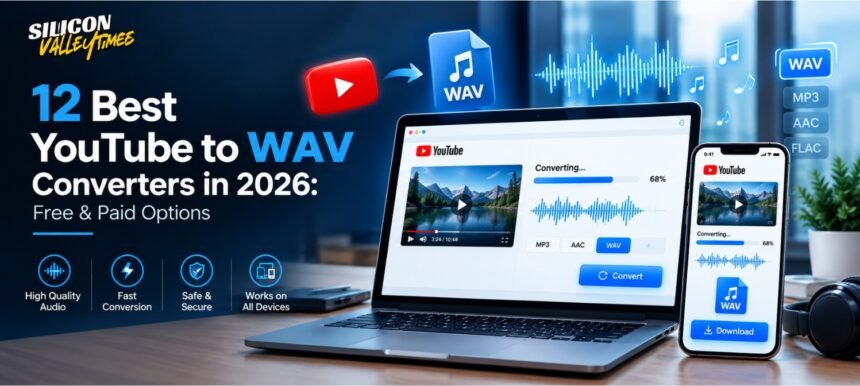

Finding a dependable YouTube to WAV converter can make a big difference when you need audio for editing, podcast production, voice-over work, music projects, or other creative tasks. While MP3 is convenient because of its small file size, WAV is often preferred when maintaining an editable, uncompressed audio file is important.
YouTube itself does not provide a standard option for exporting videos directly as WAV files. As a result, users often turn to third-party conversion software and online services. However, these tools vary considerably in terms of audio quality, speed, privacy, usability, supported platforms, and download restrictions.
In this guide, we look at 12 YouTube to WAV converter options for 2026, including browser-based services and desktop applications. We will also explain what to look for in a converter, how to preserve the best available audio quality, and the legal considerations you should understand before downloading content.
What Is a YouTube to WAV Converter?
A YouTube to WAV converter is a tool designed to extract audio from a YouTube video and save it as a WAV file.
WAV, short for Waveform Audio File Format, is commonly used in professional audio production because it can store uncompressed PCM audio. You can learn more about the format through Wikipedia’s WAV article.
It is important to understand that converting a YouTube video into WAV does not magically improve the original recording. If the source audio is already compressed, converting it to WAV only places the available audio data into a different container. It cannot restore information that was already lost.
What Should You Look for in a YouTube to WAV Converter?
Not every converter offers the same experience. Before choosing one, consider the following factors.
Audio Quality
The quality of the resulting file depends heavily on the source. A trustworthy converter should not unnecessarily compress the audio during extraction.
Also remember that a WAV extension alone does not guarantee high-quality audio. A larger WAV file created from a low-quality source will still contain the limitations of that source.
Ease of Use
For occasional downloads, simplicity matters. A good browser-based service should make the basic process straightforward without requiring unnecessary registration or complicated configuration.
Desktop applications can offer more controls, but they may take longer to set up.
Conversion Speed
Processing time can vary depending on video length, source quality, internet connection, and the converter’s infrastructure. If you frequently process long videos or multiple files, speed becomes particularly important.
Batch Processing
If you need audio from several videos, batch processing can save considerable time. Some desktop applications allow multiple URLs to be queued simultaneously, while basic online converters generally focus on one conversion at a time.
Device Compatibility
Consider whether you work on Windows, macOS, Linux, Android, iOS, or primarily through a web browser. A browser-based service can be convenient across devices, while desktop applications generally provide more advanced controls.
Pricing
Some converters are completely free, while others use a freemium model. Paid versions may remove restrictions, increase batch-processing capabilities, or provide additional controls.
Always check the current pricing and feature limits before relying on a particular service.
12 Best YouTube to WAV Converters in 2026
1. YT1s
YT1s is aimed at users who want a straightforward browser-based conversion experience. The general workflow is simple: provide a supported YouTube URL, select an available audio format, and process the file.
Its biggest advantage is convenience. There is no need to install a desktop application for basic conversions, making it suitable for users who only occasionally need an audio file.
However, free conversion websites can change their features, advertising practices, or supported formats over time. Users should also be careful around misleading download buttons and pop-ups.
Best for: People looking for a simple browser-based option for occasional conversions.
2. YTMP3.cc
YTMP3.cc is another web-based downloader that has become familiar to users looking for quick YouTube audio extraction.
Its minimal approach can be useful when you do not want a complicated application. However, users should verify which output formats are currently offered because online conversion services can change their supported formats.
For longer videos, processing times and availability may also vary.
Best for: Users who prioritize a simple online workflow.
3. OnlineVideoConverter
OnlineVideoConverter-style services are designed to handle media conversion directly through a browser. Depending on the current service configuration, users may have access to several output formats and basic conversion controls.
The major advantage of this approach is that you can perform a conversion without installing a dedicated application.
The downside is that browser-based services can have restrictions involving file size, processing time, advertising, or supported URLs.
Best for: Users who want browser-based media conversion with more format flexibility.
4. Convertio
Convertio is a broader file-conversion platform rather than a service focused exclusively on YouTube.
Its cloud-based approach makes it useful for converting files between many different formats. The platform is particularly convenient when your workflow involves documents, images, video, and audio rather than YouTube audio alone.
Free usage can come with limitations, while additional functionality may be available through paid plans.
Best for: Users who need a general-purpose online file conversion platform.
5. 4K Video Downloader
4K Video Downloader is a desktop-oriented solution designed for downloading online video and audio content. Compared with simple browser converters, desktop software can provide greater control over downloads and file management.
One of its useful features is support for multiple downloads and playlists, depending on the current version and plan. This can make it practical for creators who regularly work with large collections of media.
Because software capabilities and licensing can change, users should check the current edition before choosing between its free and paid options.
Best for: Content creators and users who frequently process multiple media files.
6. Any Audio Converter
Any Audio Converter focuses on converting audio and video between different formats. Desktop conversion software can be particularly useful when you need more control over settings than a basic online converter provides.
Depending on the version, users may be able to adjust parameters such as audio format, bitrate, and sample rate.
This makes it more suitable for users who understand audio specifications and need a particular output configuration.
Best for: Users who want more control over audio conversion settings.
7. VLC Media Player
VLC media player is primarily known as a media player, but it also includes conversion and transcoding capabilities.
That makes VLC worth considering if it is already installed on your computer. Rather than relying on another dedicated converter, you can use its media conversion features for supported local or accessible media sources.
The workflow is less beginner-friendly than a one-click web converter, so it may take some experimentation to configure correctly.
Best for: Existing VLC users who want additional media-conversion capabilities without installing another major application.
8. Audacity with FFmpeg
Audacity is one of the strongest choices for people who need to edit audio as well as export it.
Audacity is an open-source audio editor that can be combined with FFmpeg for broader media-import support. Once audio is available in the editor, you can trim unwanted sections, normalize levels, remove certain types of noise, adjust the track, and export the finished project as WAV.
The main disadvantage is that this is not the fastest solution for someone who simply wants to paste a URL and download an audio file.
Best for: Podcasters, musicians, editors, and other users who need editing capabilities alongside conversion.
9. Snappea
Snappea has been positioned as a convenient online media downloader, making it appealing to users who prefer working from a browser or mobile device.
Its biggest attraction is convenience. Users do not necessarily need to install desktop software for basic tasks.
As with other online download services, however, availability, supported formats, advertisements, and download policies can change. Always verify the current service before using it for an important project.
Best for: Users who prefer browser-based media tools, particularly on mobile devices.
10. KeepVid
KeepVid is another name associated with online video downloading and conversion. Its browser-based approach makes it attractive to users who want to avoid installing software.
The simplicity of online services can be useful for occasional tasks, but users should pay attention to the actual download controls and avoid suspicious advertisements or prompts.
Best for: Casual users who want a browser-based approach.
11. AceThinker Video Downloader
AceThinker provides media downloading and conversion tools through both online and desktop-oriented products.
A desktop application can be particularly useful for users who need more consistent processing, multiple downloads, and additional output controls. Online tools, meanwhile, can be more convenient for occasional use.
The exact capabilities depend on the current product version and licensing tier.
Best for: Users looking for a combination of online convenience and desktop functionality.
12. MediaHuman YouTube to MP3 Converter
Despite its name, MediaHuman’s YouTube downloader software has supported additional audio formats beyond MP3, including WAV in applicable configurations.
Its desktop-focused workflow is appealing to users who need to manage several links and prefer a dedicated application over advertising-heavy conversion websites.
It is particularly useful for people who regularly work with audio files and want a more organized desktop workflow.
Best for: Windows and macOS users who want a dedicated desktop audio-downloading workflow.
Quick Comparison of YouTube to WAV Converters
| Tool | Platform | Free Option | Batch Processing | Best Use |
| YT1s | Browser | Yes | Limited/No | Quick occasional conversions |
| YTMP3.cc | Browser | Yes | No | Simple online use |
| OnlineVideoConverter | Browser | Yes | Limited | Format flexibility |
| Convertio | Browser | Freemium | Paid/varies | General file conversion |
| 4K Video Downloader | Desktop | Freemium | Yes/varies | Large download tasks |
| Any Audio Converter | Desktop | Yes | Yes/varies | Advanced audio conversion |
| VLC Media Player | Desktop | Yes | No | Existing VLC users |
| Audacity + FFmpeg | Desktop | Yes | No | Editing and exporting |
| Snappea | Browser | Yes | Limited | Mobile/browser use |
| KeepVid | Browser | Yes | Limited | Casual downloading |
| AceThinker | Browser/Desktop | Freemium | Yes/varies | Flexible workflows |
| MediaHuman | Desktop | Yes/varies | Yes | Dedicated desktop use |
Important: Features, supported formats, free limits, and pricing can change. Check the provider’s current documentation before making a decision based on a specific feature.
How to Get the Best Possible WAV Quality
Choosing a converter is only part of the equation. The source material matters just as much.
Start With the Best Available Source
A converter cannot create audio information that does not exist in the source. If the original upload contains lower-quality audio, the final WAV will still reflect those limitations.
Whenever possible, use the highest-quality legitimate source available to you.
Don’t Confuse WAV With Better Sound
WAV is generally associated with uncompressed audio, but changing a compressed source into WAV does not restore missing information.
For example, converting an already compressed audio stream to WAV may produce a large file without providing the quality benefits of an original lossless recording.
Consider Sample Rate and Bit Depth
If your project requires a specific technical specification, check the sample rate and bit depth of the resulting WAV file.
Common production workflows use specifications such as 44.1 kHz or 48 kHz, but the appropriate setting depends on what you are creating and where the audio will be used.
Use Desktop Software for Larger Projects
Browser tools can be convenient for one-off conversions. For recurring projects involving multiple files, desktop applications often provide better organization and additional controls.
Check the Output Before Editing
After conversion, open the WAV file in your preferred audio editor and check its properties. Confirm the sample rate, bit depth, channel configuration, and overall audio quality before starting extensive editing.
Is YouTube to WAV Conversion Legal?
This is an important consideration.
Whether you can download or convert a particular YouTube video depends on factors such as copyright ownership, permission from the creator, applicable law, and YouTube’s terms and policies.
For example, downloading your own content or material that you have explicit permission to use is very different from downloading copyrighted music and redistributing it without permission.
If you are using converted audio in a commercial project, advertisement, podcast, video, or other published work, make sure you have the necessary rights.
Do not assume that because a converter technically allows a download, the underlying use is automatically permitted.
Are Online YouTube to WAV Converters Safe?
Not every conversion website deserves your trust.
Before using an online service, look for basic security and usability warning signs. Avoid websites that:
- Force you to install unknown browser extensions
- Ask for unnecessary software downloads
- Display excessive fake download buttons
- Request sensitive account information
- Redirect you repeatedly to unrelated websites
- Make unusual security or payment demands
A reputable-looking interface does not automatically guarantee that a service is safe, so use caution when interacting with unfamiliar download websites.
Which YouTube to WAV Converter Should You Choose?
The right choice depends on your workflow.
For occasional browser use: A simple online converter may be sufficient.
For repeated downloads: A dedicated desktop application can provide better organization and batch-processing capabilities.
For audio editing: Audacity is more useful because you can convert, edit, clean, and export audio within the same workflow.
For advanced conversion controls: A desktop audio converter is generally preferable when you need to control technical output settings.
For existing VLC users: VLC can be useful when you already have the software installed and want to avoid adding another media application.
Ultimately, the best converter is not necessarily the one with the most features. It is the one that fits your device, workflow, audio requirements, and legitimate use case.
Final Thoughts
A YouTube to WAV converter can be useful when you need audio in a format that is convenient for editing and production. However, the quality of the final file depends on more than the converter itself. The original source, conversion process, output settings, and intended use all matter.
For simple tasks, browser-based services can be convenient. Users who regularly process multiple files may benefit from desktop software such as 4K Video Downloader or MediaHuman, while people who need serious audio editing may prefer Audacity.
Most importantly, remember that WAV does not automatically mean higher-quality audio. It is a container commonly used for uncompressed audio, but it cannot recreate information already lost through compression.
Before downloading anything, also make sure that your intended use complies with copyright law and the applicable platform rules.
FAQs
1. What is the best YouTube to WAV converter?
There is no single best option for everyone. Browser converters are convenient for occasional tasks, while desktop applications are generally more appropriate for recurring or batch workflows. Audacity is particularly useful when audio editing is also required.
2. Does converting YouTube audio to WAV improve sound quality?
No. Converting audio to WAV does not restore information that was lost in the original compressed source. It mainly gives you a WAV output that can be more suitable for subsequent editing and production workflows.
3. Is WAV better than MP3?
WAV and MP3 serve different purposes. WAV can contain uncompressed audio and is commonly used during professional editing and production, while MP3 uses lossy compression to create much smaller files for convenient storage and playback.
4. Can I convert a YouTube video to WAV for a podcast?
Technically, audio can be converted into WAV for podcast production, but you should make sure you have the necessary rights or permission to use the source material. Copyrighted content should not be incorporated into a podcast simply because a converter makes it downloadable.
5. Is 44.1 kHz good for WAV files?
44.1 kHz is a common sample rate in digital audio, particularly for music-oriented workflows. However, 48 kHz is also widely used, especially for video production. The appropriate choice depends on your project’s requirements.
6. Can a WAV file be created from an MP3?
Yes. An MP3 can be placed into a WAV container through conversion, but doing so does not make the audio lossless or restore quality that was removed during MP3 compression.
7. Are YouTube to WAV converter websites safe?
Some may be legitimate, but online conversion websites vary considerably. Avoid services that require suspicious downloads, browser extensions, unnecessary personal information, or interaction with misleading advertisements.
8. Which option is best for professional audio editing?
Audacity is a strong free option when editing is part of the workflow. Dedicated desktop converters can also be useful when the main requirement is precise output configuration rather than editing.