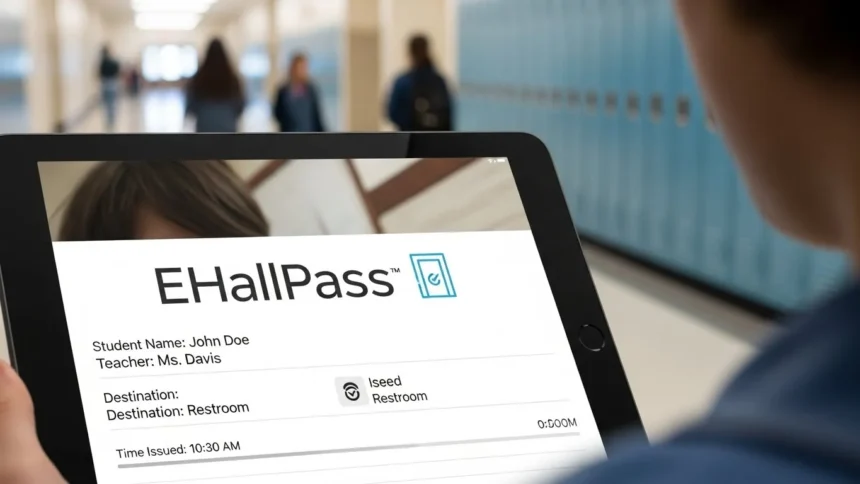

School hallways are busy places. Between classes, during lunch, and right before the final bell, they are full of energy. But keeping track of where every student is during class time has always been a challenge for schools. That’s where ehallpass comes in. If you are a student, teacher, or parent hearing this term for the first time, you might be wondering what all the buzz is about.
This article is going to break down exactly what this digital tool is, how it works, and why so many schools across the United States are switching from paper slips to digital passes. Whether you are trying to figure out how to log in or just want to know if it really makes schools safer, we have got you covered.
Key Takeaways:
- ehallpass is a cloud-based digital hall pass system replacing traditional paper passes.
- It improves school security by tracking who is in the hallways in real-time.
- The system helps limit social meetups and prevents overcrowding in restrooms.
- Teachers can approve passes instantly from their computers without interrupting lessons.
- It provides data and reports to help administrators understand hallway traffic patterns.
What Exactly Is ehallpass?
In simple terms, ehallpass is a digital replacement for the old-school wooden block, lanyard, or paper slip that students used to carry when leaving the classroom. It is a software platform designed by Eduspire Solutions to help schools manage hallway traffic more effectively. Instead of raising a hand and waiting for a teacher to write out a pass, the process happens digitally on a device.
Think of it as a check-in and check-out system for your school building. When a student needs to go to the nurse, the bathroom, or the library, they request a pass through their Chromebook, tablet, or smartphone. The teacher approves it, and the system starts a timer. This creates a digital record of exactly who is in the hall, where they are going, and how long they have been gone.
For decades, schools relied on trust and paper logs that were often messy or inaccurate. This modern solution brings technology into school management, aiming to make the daily flow of students smoother and more secure. It removes the “germy” aspect of sharing a physical pass and ensures that administration always has a clear view of the building’s activity.
Why Schools Are Switching to Digital Passes
The transition from physical to digital is happening everywhere, and schools are no exception. The main reason schools adopt ehallpass is safety. In an emergency, it is crucial to know exactly where every student is located. Paper passes cannot provide real-time data, but a digital dashboard can show instantly which students are out of class and which room they originated from.
Another major reason is accountability. Sometimes, students might take a “scenic route” to the water fountain or meet up with friends when they shouldn’t. This system helps discourage that behavior. It also helps teachers maximize instructional time. Writing out passes interrupts the flow of a lesson, but clicking “approve” on a screen is much faster and less disruptive.
How ehallpass Works for Students
For a student, using ehallpass is generally very straightforward. You log into a dashboard, usually through a school Google account or similar single sign-on method. You will see a simple interface with buttons for common destinations like the restroom, locker, or office. You select where you want to go and click to request the pass.
Once the request is made, it pops up on the teacher’s screen. If the teacher approves it, your timer starts, and you are free to go. When you return to the classroom, you click a button to end the pass. It is designed to be quick so that technology doesn’t become a distraction. Some schools even set up “auto-passes” for certain locations, meaning you don’t even need to wait for teacher approval for quick trips like getting a drink of water.
The Core Features of ehallpass
This software isn’t just a fancy timer; it is packed with features designed to solve specific school problems. One of the most talked-about features is the ability to limit the number of passes active at one time. For example, a school can set a rule that only three students can be in a specific hallway or restroom at once. If the limit is reached, a student has to wait until someone returns.
Another key feature is the “Appointment Pass.” This allows teachers or administrators to request a student. If the guidance counselor needs to see you, they can create a pass for you in advance. When you arrive at that teacher’s class, the pass is already waiting in the system, reminding you and your teacher of the appointment. This replaces the old method of calling classrooms on the intercom, which disrupts the whole class.
Improving School Security and Safety
Security is the number one priority for schools today. ehallpass contributes significantly to a safer environment. Because the system is cloud-based, security guards and administrators can access a live dashboard on their tablets while walking the halls. If they see a student in the hallway, they can check the dashboard to see if that student has an active pass.
This eliminates the guessing game. If a student doesn’t have an active pass on the dashboard, the security team knows immediately. Furthermore, in the event of a lockdown or fire drill, knowing exactly how many students are in the hallways—and who they are—is vital information for first responders and school staff. The digital log provides a precise headcount that paper logs simply cannot match.
Reducing Vaping and Vandalism
Unfortunately, school restrooms can sometimes become hotspots for negative behavior like vaping or vandalism. ehallpass helps curb this by limiting capacity. If a restroom has a limit of three students, a fourth student cannot get a pass until someone leaves. This prevents overcrowding, which is often when trouble starts.
Additionally, the system keeps a history. If vandalism occurs in a specific bathroom at a specific time, administrators can look back at the logs to see who was checked into that location during that timeframe. While it doesn’t accuse anyone, it narrows down the list of potential witnesses or people involved, which acts as a strong deterrent against destroying school property.
Detailed Breakdown: How to Use ehallpass
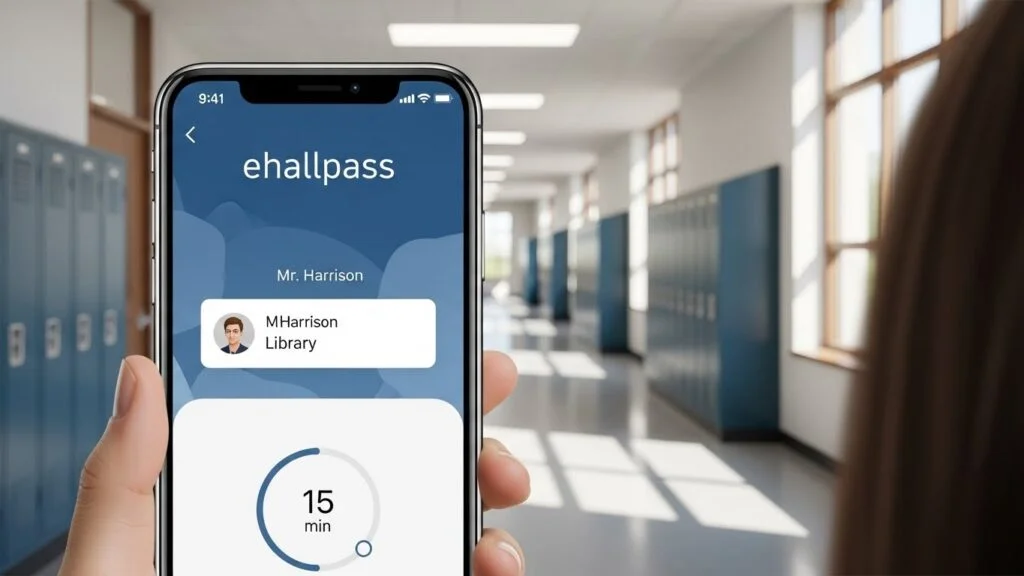
Understanding the interface is key to making the system work smoothly. The user experience is designed to be intuitive, requiring very little training. Whether you are on a desktop computer in a lab or using a personal device (if allowed by school policy), the layout remains consistent and user-friendly.
Step-by-Step Guide for Creating a Pass
- Login: Access the ehallpass portal using your school credentials.
- Select Origin: The system usually detects your current class based on your schedule, but ensure the “Departing From” location is correct.
- Select Destination: Click on the location you need to visit (e.g., “Boys Restroom 2nd Floor” or “Nurse”).
- Submit Request: Click the button to send the request to your teacher.
- Wait for Approval: The screen will indicate “Pending Approval.” Once the teacher clicks yes, the pass turns green and the timer begins.
- End the Pass: Upon returning to class, you must click the “Stop” or “Check-in” button to end the timer.
Understanding the Dashboard View
The dashboard is your home base. For students, it shows active passes, upcoming appointments, and a history of recent passes. For teachers, the view is slightly different. They see a list of all students currently out of the room, incoming requests that need approval, and a list of students scheduled to leave for appointments.
The dashboard uses color-coding to make things easy to read. Usually, green means a pass is active and within the time limit. Red often indicates a pass that has gone overtime. This visual cue helps teachers quickly spot if a student has been gone too long, prompting them to check on the student’s safety or whereabouts.
|
Feature |
Function |
Benefit |
|---|---|---|
|
Pass Limits |
Restricts total passes per location |
Prevents overcrowding in restrooms |
|
Appointment Pass |
Pre-scheduled passes by staff |
Reduces classroom interruptions (intercoms) |
|
No-Contact Mode |
Students create passes on own device |
Increases hygiene/sanitation |
|
Admin Dashboard |
Live view of all hall activity |
Enhances building-wide security |
|
Pass History |
detailed log of past movements |
Helps identify traffic patterns |
Addressing Privacy Concerns
Whenever technology tracks movement, privacy questions naturally arise. Students and parents often ask: “Is ehallpass tracking my location using GPS?” The answer is no. This system does not use GPS tracking. It does not know where you are physically standing. It only knows that you said you were going to the library and that your teacher approved it.
It acts more like a time-clock than a GPS tracker. The data collected is simply a log of check-in and check-out times. Schools use this data to identify trends—like if hallways are too crowded during 3rd period—not to spy on individual students outside of school hours. The software is only active and relevant while the student is logged in and on the school network during school hours.
Data Security and Student Information
Eduspire Solutions, the creator of ehallpass, has strict protocols regarding student data. They must comply with laws like FERPA (Family Educational Rights and Privacy Act) in the United States. This means that the data regarding who goes to the nurse or the counselor is protected and confidential.
The system allows schools to set privacy filters. for example, if a student goes to the guidance counselor, the pass might just say “Office” rather than “Counseling for Anxiety,” ensuring that sensitive information isn’t broadcasted on a teacher’s dashboard for other students to accidentally see. Protecting student dignity is a major part of the system’s design.
Features for Teachers and Admin
Teachers often worry that a new piece of technology will just be “one more thing” to manage. However, most teachers find that ehallpass actually reduces their workload. The constant interruption of writing passes or searching for the physical pass is gone.
The “Auto-Pass” Feature
To make life even easier, teachers can enable “Auto-Pass” for certain situations. If a teacher trusts their class, they can set the system so that restroom passes are automatically approved without the teacher having to click anything. This allows the lesson to continue without a single interruption, while still maintaining a digital record of where the student went.
Reporting and Analytics
For school principals and deans, the reporting tools are a goldmine. They can generate reports to see which classrooms send out the most students, or which times of day have the most hallway traffic. This helps them make decisions about staffing security guards or changing passing times.
They can also spot “frequent flyers”—students who leave class multiple times a day, every day. This data allows the administration to have a conversation with that student to see if there is a medical issue or if they are just avoiding class work. It turns anecdotal evidence (“He’s always in the bathroom”) into hard data (“He has left class 14 times this week”).
Common Challenges and Solutions
No technology is perfect, and implementing ehallpass can have hiccups. Sometimes the internet goes down, or students forget to charge their devices. Schools must have backup plans, like a temporary return to paper passes, for these situations.
Internet Connectivity Issues
If the Wi-Fi in a school is spotty, digital passes can become frustrating. The request might lag, or the approval might not show up instantly. Schools need robust internet infrastructure to make this work seamlessly. If the system crashes, chaos can ensue if there is no “Plan B” protocol in place.
The “Forgot to End Pass” Problem
A very common issue is students returning to class and sitting down without clicking “Stop” on their pass. This makes it look like they are still in the hallway. When this happens, the timer runs into the red. Teachers can manually end the pass from their dashboard, but it requires them to pay attention to the screen. Training students to build the habit of clicking “Stop” is the biggest hurdle in the first few months of use.
Social and Emotional Benefits
Believe it or not, a digital pass system can help with social dynamics. In every school, there are students who try to coordinate their bathroom trips to meet up with friends or, conversely, to confront someone they don’t like. ehallpass has features to manage these social interactions safely.
Preventing Conflicts
Administrators can set “meetup restrictions.” If Student A and Student B have a history of fighting or bullying, the system can be programmed to prevent them from having a pass at the same time. If Student A is in the hall, and Student B requests a pass, the system will tell Student B to wait. This automated intervention can prevent fights before they happen, keeping the school atmosphere peaceful.
Reducing Anxiety for Shy Students
For some shy students, asking to go to the bathroom in front of the whole class is terrifying. Raising a hand and announcing “I need to go to the bathroom” can be a source of anxiety. With ehallpass, the request is silent and digital. The student requests it on their screen, the teacher nods or approves it silently, and the student leaves. This discretion is a huge relief for students who prefer not to draw attention to themselves.
Student Responsibilities with ehallpass
With great power comes great responsibility. Using a digital system requires students to be honest and timely. Because the system tracks time down to the second, students learn better time management. If a trip to the water fountain usually takes 3 minutes, but a student is gone for 15, the data reflects that.
Managing Your Time
Students quickly learn that the “digital trail” keeps them accountable. This encourages them to take care of their business efficiently and return to learning. It helps prepare students for the real world, where employers often track time and productivity. It shifts the dynamic from “getting away with it” to being responsible for one’s own time.
Device Care
Since the pass lives on a device, students must keep their Chromebooks or iPads charged. A dead battery means you cannot request a pass (unless the teacher does it for you manually). This reinforces the importance of coming to school prepared with charged equipment, a skill that is valuable across all subjects.
ehallpass vs. Traditional Methods
Is digital really better than the old wooden block? Let’s compare them directly.
|
Factor |
Traditional Paper/Object Pass |
ehallpass Digital System |
|---|---|---|
|
Hygiene |
Low (germs spread via shared object) |
High (contactless/personal device) |
|
Tracking |
None (teacher must remember) |
Real-time digital logs |
|
Limits |
Difficult to enforce building-wide |
Automatic capacity limits |
|
Privacy |
Low (everyone hears the request) |
High (silent, digital request) |
|
Cost |
Low (paper/wood) |
Subscription cost for software |
As you can see, while the traditional method is cheaper, it lacks the safety, hygiene, and data benefits of the digital solution. The investment in software is an investment in a modern, safer school climate.
Frequently Asked Questions (FAQ)
Q: Can I use ehallpass on my phone?
A: This depends on your specific school’s policy. The software works on smartphones, but many schools require students to use school-issued Chromebooks or tablets to ensure they remain on the school network.
Q: Does ehallpass track me when I am at home?
A: No. The system is designed for school hallway management only. It does not track your GPS location and is not used for monitoring students outside of school hours.
Q: What happens if the internet goes down?
A: Schools usually have a backup protocol, such as reverting to paper passes temporarily or having teachers verbally approve exits until the system is back online.
Q: Can teachers deny a pass request?
A: Yes. A teacher can deny a request if it is not a good time (like during a test or important lecture). The teacher can usually select a reason, such as “Instructional Time,” which the student will see.
Q: Is my medical information private?
A: Yes. If you visit the nurse frequently, the system can be configured to keep the specific reason private, ensuring your medical confidentiality is maintained.
Q: How much does ehallpass cost?
A: The cost is paid by the school district, not the students. The price varies based on the size of the school and the specific features they choose to enable.
Conclusion
The introduction of ehallpass represents a significant shift in how schools operate. It moves hallway management from an analog, trust-based system to a data-driven, secure digital environment. For students, it offers a quieter, less embarrassing way to ask to leave the room. For teachers, it saves time and reduces interruptions. And for parents and administrators, it provides peace of mind knowing that school security is tighter and more organized.
While adapting to new technology always takes a little time, the benefits of safety, accountability, and efficiency make it a valuable tool for modern education. As schools continue to prioritize safety, tools like this will likely become the standard across the country.
Internal Link: For more on how technology is shaping modern education, check out our latest insights at Silicon Valley Time.
Reference: For further reading on the broader topic of electronic hall pass systems and school safety technology, you can visit this Wikipedia page.